Access Partner Portal
Get Started Today
Have a question? Fill out the information and someone will contact you soon.

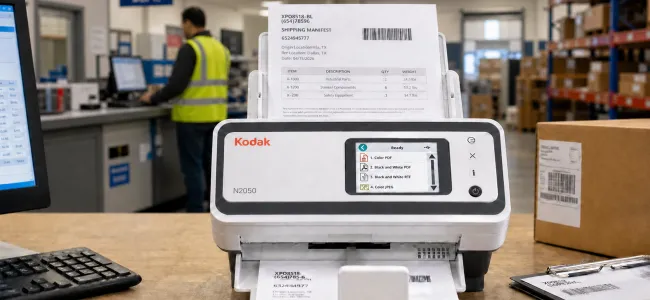
One touch turns incoming information into accurate, structured data - sent straight to Head Office.
One standard. Every site. Trusted data everywhere.
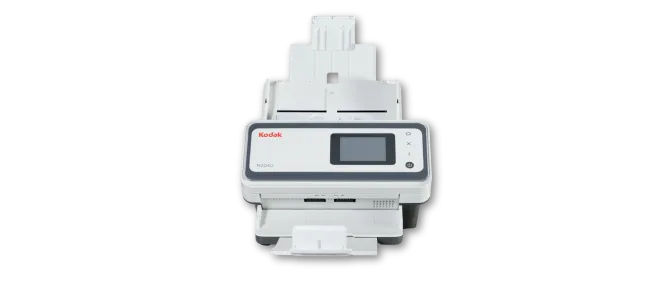
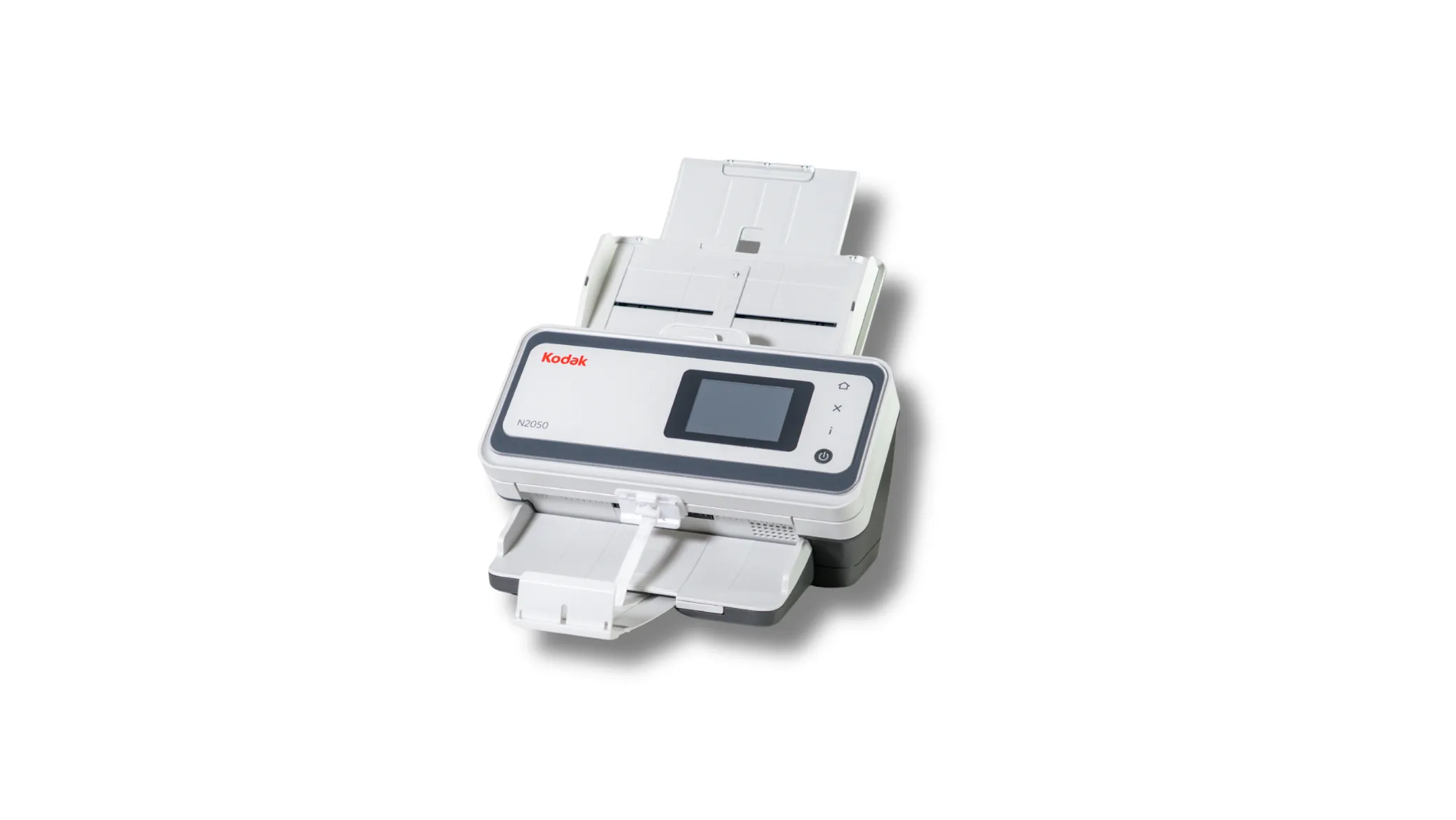
The KODAK N2000 Series Desktop Scanners: One touch to done.
The KODAK N2000 Series makes capture a workflow strategy rather than a device purchase. It turns paper into accurate, actionable digital information reliably and consistently, everywhere work happens, and scales from a single desktop to a distributed fleet.

Secure Boot with signed firmware ensures only trusted code runs. Encrypted connections protect data in transit. Digital Stamping burns date, time, and sequence into every image, audit-ready by default.

A 3.5-inch color touchscreen, a 100-sheet feeder, wide media handling ranging from light paper to hard cards, and modular flatbed options enable a single workstation to handle everyday batches as well as bound books, fragile items, and passports.

With 30+ years of imaging R&D, Perfect Page delivers the best possible image at the smallest file size — cutting storage costs, lifting OCR read rates, and giving downstream systems data they can trust. Accurate, searchable PDFs for 126 languages.

Network EasySetup deploys a single locked configuration across the entire fleet. Send scanners straight from stock and stand up every location from one file — no per-site IT visit, turning a multi-week rollout into a same-day task.

The KODAK N2000 Series is built for organizations that need scanning to work the same way everywhere — from a single desk to a global fleet. Standardized. Secure. Always on. Because when capture works right, everything downstream works better.

Perfect Page and unique Dual Light Illumination capture even difficult originals cleanly on the first pass - eliminating shadows on folded, textured, and low-contrast documents. Fewer rescans, higher automation rates, and queues that keep moving.
One touch to done
Our Smart Touch technology is built into most of our document scanners. Its one-touch simplicity eliminates complicated multi-step scanning processes, and you can easily configure up to 20 different functions to fit your specific scanning needs.
Have a question? Fill out the information and someone will contact you soon.
| Throughput Speeds Hover over me Throughput speed may vary depending on your choice of driver application software, operating system, PC and selected image processing features. |
50 ppm / 100 ipm |
| Feeder Capacity |
Up to 100 sheets of 80 g/m² (20 lb.) paper |
| Connectivity |
10/100/1000 ETHERNET USB 3.2 Gen 1x1 Hover over me USB 3.2 Gen 1x1 = USB 3.1 Gen 1 = USB 3.0 (5Gbps) |
| Maximum Document Size Hover over me The maximum document size supported by the scanner will vary based on the output image resolution and image compression used. |
216mm x 3048mm (8.5 in. x 120 in.) |
| Minimum Document Size |
52 mm x 52 mm (2.05 in. x 2.05 in.) Hover over me 50 mm x 50 mm (2 in x 2 in) using hand feeding and straight paper path |
| Paper Thickness and Weight |
27–433 g/m² (7.2–160 lb.) paper Hard card thickness up to 1.25 mm (0.05 in.) |
| Maximum Optical Resolution |
600 dpi |
| Accessories and Consumables |
Carrier Sleeves (5 PACK) Feed Roller Kit Integrated A4/Legal Flatbed Passport Flatbed Accessory |
| Acoustical Noise |
Idle: <20 dB(A) Scanning: <50 dB(A) |
| Approvals and Product Certifications |
Argentina (S mark) Canada (cTUVus & ICES-003) European Union (CE) European Union (GS Mark) Japan (VCCI) Mexico (NOM) United Kingdom (UKCA) US (cTUVus & FCC) |
| Barcode Reading |
Codabar Code 128 Code 3 of 9 EAN-13 EAN-8 Interleaved 2 of 5 PDF417 QR UPC-A UPC-E |
| Data Security |
This scanner processes scanned data exclusively through volatile memory ensuring image data is effectively erased upon shut down. Hover over me Read more about data security. |
| Dimensions and Weight |
Product Dimensions: Product Weight: |
| Electrical Requirements |
(International) ; 50-60 Hz 100 VAC-130 VAC and 200 VAC-240 VAC |
| Environmental Certification |
ENERGY STAR Qualified EPEAT Gold |
| File Format Outputs (from scanner and software) |
From Scanner: TIFF and JPEG With Supporting Software Applications: Single and multi-page TIFF, JPEG, RTF, BMP, PDF, Searchable PDF, TXT, PNG, CSV, Word Excel and PPTX |
| Image Output Resolution Options |
Up to 1200 dpi Hover over me Supported DPI: 100, 150, 200, 240, 250, 300, 400, 500, 600, 1200 |
| Network Protocols |
DHCP (or static IP) TCP/IP |
| Operating System Compatibility |
Ubuntu (64-bit) WINDOWS 10 (32- and 64-bit) WINDOWS 11 (64 bit) Hover over me Pro Version Windows Server 2016 LTSC (64-bit) Windows Server 2019 LTSC (64-bit) Windows Server 2022 LTSC (64-bit) |
| Operating Temperature and Humidity |
Operating Humidity 15% - 80% RH Operating Temperature 10-35° C (50-95° F) |
| Operator Control Panel |
Color Touchscreen with active area of 3.5" diagonal with operator control buttons |
| Sure Path Features |
Enhanced jam recovery Interactive multifeed with image display on host Length Multifeed Detection Ultrasonic Multifeed Technology |
| Perfect Page Features |
Adaptive threshold processing Add or remove border Aggressive cropping Autocrop Auto white balance Automatic color balance Automatic color detection Automatic orientation Automatic photo cropping Automatic Brightness/Contrast Barcode reading Background color smoothing Black and white image segmentation Brightness and contrast adjustment Content-based blank page removal Deskew Digital stamping Dual stream scanning Electronic color dropout Enhanced color adjustment Enhanced color management Fixed cropping Fixed thresholding Halftone removal Image edge fill Image hole fill Image merge |
| Power Consumption |
100-120 VAC, 50/60 Hz; Scanning: <90 W, Standby: <27 W, Sleep Mode: 2.0 W Connected Standby: Does not exceed 2.0 watts Off Mode: Does not exceed 0.3 watts Running: less than 36 watts Sleep mode: less than 3.2 watts |
| Recommended Daily Volume |
8000 pages per day |
| Recommended PC Configuration |
i5 (Gen 12), 2.5 GHZ, 8 GB RAM, 500 GB Hard Drive (SSD recommended) |
| Scanning Technology |
Dual RGB LED Illumination CIS (CMOS); Grayscale output bit depth is 256 levels (8-bit); color output bit depth is 24 bits (8 x 3); color capture bit depth is 48 bits (16 x 3) |
| Standard Software and Drivers |
ISIS Drivers LINUX (TWAIN and SANE) Drivers TWAIN Drivers WIA Drivers |
Kodak Alaris offers an array of Professional Services. The Professional Services range from Technical Assistance offerings (e.g., Installation, Training) to Optimization Services (e.g., Capture Workflow Assessments) and more. To inquire or purchase, contact us.
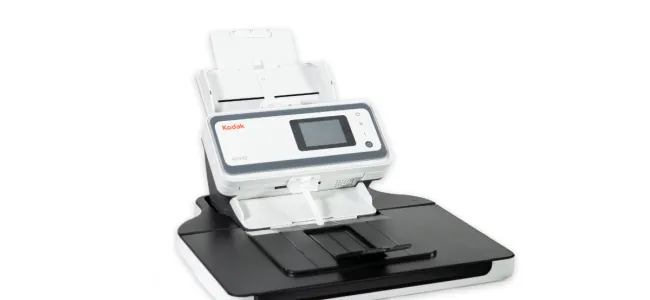
The A4/Legal Flatbed Accessory integrates fully with N2000 Series Scanners for ongoing productivity when scanning bulky, bound, and fragile exception documents.
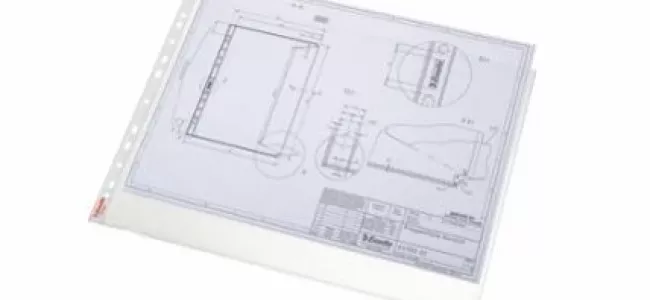
Expand the use of your scanner for exception documents such as large (folded) pages, fragile pages, or very small items. For example, scan multiple small receipts in a single pass. Scanner detects the sleeve and can automatically split each receipt into multiple images, or deliver one image with all receipts in a single pass. You can also automatically merge front and rear letter/A4 pages to create an A3 image.
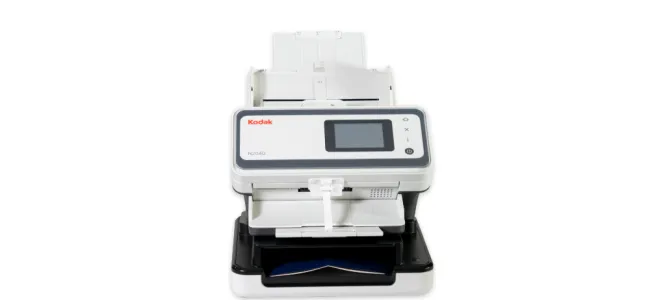
The Passport Flatbed Accessory ‘docks' on the N2000 Series Scanners to scan passports or other small, fragile documents.
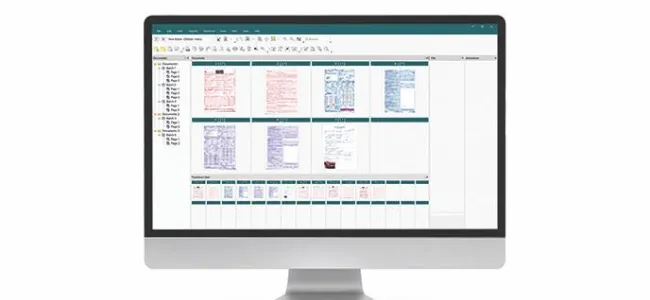
Quickly and accurately convert large volumes of paper documents into high-quality images your business can use.

Our Smart Touch technology is built into most of our document scanners. Its one-touch simplicity eliminates complicated multi-step scanning processes, and you can easily configure up to 20 different functions to fit your specific scanning needs.
Explore options to ensure you get the most out of your scanner and software investment.

Kodak Alaris can assist you with your technology by providing basic product installation, product upgrades, business relocation, and setup.
Register your scanner to ensure you get the most out of your investment.
TWAIN Driver & CD for KODAK N2040/N2050 Scanners
Download and install the latest driver for the N2040/N2050 Scanner.
Operating systems tested on:
Go to specifications for complete list, review release notes for details.
Release Notes TWAIN Driver - Install PackageTWAIN Driver - CD Windows ISO
ISIS Driver for KODAK N2000 Scanners
ISIS Driver that has been developed and tested for use with all ISIS enabled host applications.
*Please Note: Customers must install the TWAIN driver prior to installing ISIS.
Release Notes detail the changes in this update.
Linux Drivers
Operating systems tested on:
*Note: *LINUX Driver files do not include Guides. Expand the file (e.g., tar -xf *.gz) and then run the setup script (i.e. sudo ./setup)
If your specific OS is not listed, please reach out to your local sales representative for more information.
Smart Touch for KODAK N2000 Series Scanners
Smart Touch software allows you to easily create searchable PDF's (or other types of images) and send the document to a file location or common cloud services with the touch of a button.
Please read the release notes before downloading. By downloading, you agree to the terms & conditions outlined in the license agreement.
Smart Touch Export Tool
Installing the Smart Touch Export Tools installs the tool used to export your Smart Touch setting shortcuts from one computer to another. This tool is only for Windows Operating Systems.
KODAK Capture Pro Software Limited Edition
Capture and index your critical data and send smarter information to ECM systems and business applications to streamline your workflows and processes.
Developer Toolkit
Kodak Alaris has several integration options for our scanners. We have traditional thick client integration options with our TWAIN and ISIS and WIA drivers as well as an easy to use Scanner SDK.
We also have a state of the art RESTful Web API for integration to our network enabled scanners from any platform without installing host drivers.
COMING SOON
KOFAX VRS Support
COMING SOON
Contact your Reseller to purchase supplies and consumables. If you don't know who your reseller is, please complete the Ask a Question form.
Want to recycle? Kodak Alaris offers recycling services.
Have a question? Fill out the information and someone will contact you soon.